Found the cause: greenhouse-controller's firmware channel changed from stable to nightly at 01:48 UTC, 12 minutes before greenhouse-controller first failed
Put greenhouse-controller back to stable, its last good setting
greenhouse-controller is back on its last good setting
greenhouse-controller · firmware channel
stable
Asked
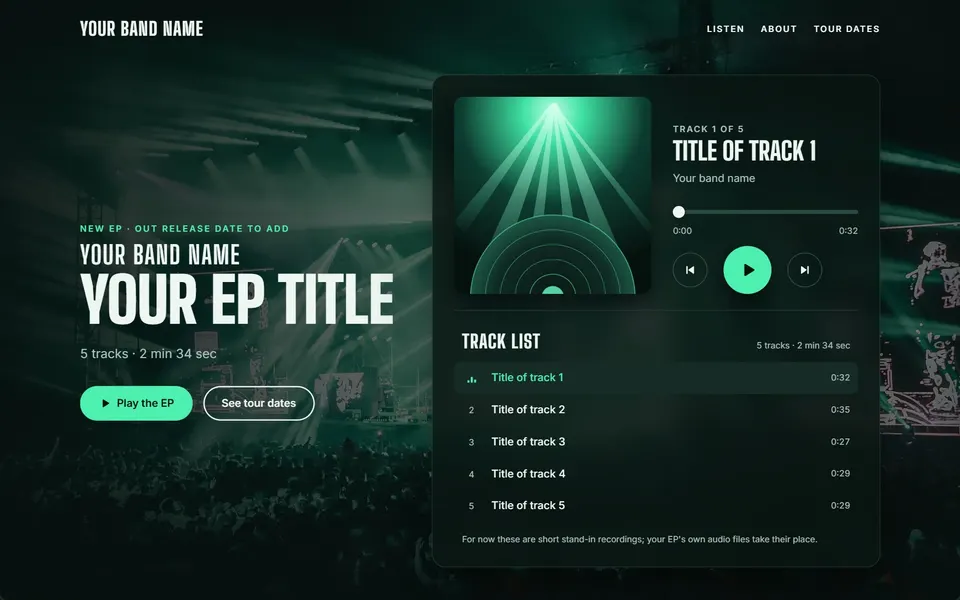
“A music player page for a band's new EP with track list, play and pause, a progress bar and tour dates”
Found it: port 1 was shut by the switch’s own loop protection, a second cable closing a loop
Said which cable to pull, then turned the port back on the moment the loop was gone
The link is back up and the router answers again
Port 1 – the link to the router
Shut → Back on
Asked
“Look over this firewall’s set-up”
Read its whole set-up through its own sign-in, changing nothing
Found 3 things to tighten
Tightened 1 thing and read each change back
Safer than it was, each change read back
Noticed by Xovris
Is xovris.ai answering for everyone?
Asked it from every place Xovris checks from, at once
95 ms from South Africa up to 365 ms from United States
Answering everywhere
Read while this page was built
Noticed by Xovris
api.xovris.ai outgrew the database server it shared
Found the cause: connections held open on a shared database server
Moved the database onto a dedicated core of its own
Put right on 23 October – answering in 10–74 ms since
See how the device you are reading this on stands – its browser, a secure connection, passkeys and its privacy signal – checked in your browser, with nothing sent anywhere.
15 devices on the network, each one namedWhat Xovris maps
XovrisOn its own
Maps every device on the network, from the firewall pair to the last camera
Named each by what it answers on
A device of any make is identified from its maker’s address, mDNS, DHCP and open ports
Upgrades each one through its own interface and reads the version back
Checks every device you connect for known holes
Technical detail
RoutersMake, model and firmware version; how it answers from inside your network – delay and loss – and its settings pageUpgrades itself: MikroTik · Cisco, DrayTek Vigor, Huawei and Juniper Networks …
FirewallsMake, model and exact version, checked every day against the maker’s security notices and the holes attackers are using nowUpgrades itself: Fortinet FortiGate and Palo Alto Networks · Check Point, Cisco, Fortinet FortiGate and Juniper Networks …
Remote-access gateways (VPN)Exact version, checked first against the holes attackers are using nowUpgraded through its own interface · Ivanti Connect Secure and SonicWall
Servers and virtualisationThe exact version of a hypervisor, a server’s management card or a load balancer, checked every day for known security holesUpgraded through its own interface · Citrix NetScaler, F5 BIG-IP, HPE iLO and Proxmox VE …
SwitchesMake, model and exact version of each switch, checked every day for known security holesUpgraded through its own interface · Arista, Cisco, Dell and Extreme Networks …
Storage boxes (NAS)Make, model and version – from Synology’s and QNAP’s own APIs or over SNMP – and whether its file sharing answersUpgrades itself: Synology · QNAP, Synology and TrueNAS
UPS and powerThe network card’s make and firmware version, checked for known security holesUpgraded through its own interface · APC by Schneider Electric, CyberPower, Delta Electronics and Eaton (and MGE) …
Wi‑Fi controllers and access pointsMake, model and exact version of each access point, checked every day for known security holesUpgraded through its own interface · HPE Aruba and Zyxel
ComputersIts health – a firewall left off, a full disk, an app that keeps crashing – the software installed and the system’s exact versionUpgrades itself: Apple Mac (macOS), Linux (Debian, Ubuntu, Red Hat, Rocky, AlmaLinux, Fedora, SUSE and more) and Microsoft Windows · Apple Mac (macOS), Linux (Debian, Ubuntu, Red Hat, Rocky, AlmaLinux, Fedora, SUSE and more) and Microsoft Windows
Phones and tabletsRelease and security patch level through device management, and on your network whether it is answering or asleepUpgraded through its own interface · Apple iPhone, iPad, Watch, TV and Vision Pro and Android phones and tablets
PrintersWhat is wrong, read from the printer itself – out of paper, a jam, low toner, a door open – and its make, model and firmwareUpgraded through its own interface · Brother, Canon, Dell and Epson …
Cameras and recordersMake, model and firmware version, checked every day for known security holesUpgraded through its own interface · Avigilon, Axis, Bosch Security and Dahua …
Smart-home hubs and devicesFound on your network and named – Home Assistant, Philips Hue, Shelly, Tasmota, ESPHome, Sonos – and, with a Home Assistant token, every device the hub cannot reachUpgraded through its own interface · ESPHome, Home Assistant, Philips Hue and Shelly …
What Xovris maps on a business network: every kind of device, how it reads each one and how it upgrades it
01
What Xovris readon its own domain.
xovris.ai is served from Cloudflare, Inc., keeps its DNS on Cloudflare and keeps its email on Microsoft 365. Everything Xovris could read on xovris.ai answers as it should – none of 11 readings is wrong.
Devices on xovris.ai23:05:28 UTC
Address
Fine
Browsers can find it.
Secure connection (HTTPS)
Fine
Answered your browser over HTTPS in 74 ms.
Page from outside
Fine
Answered Xovris’s probe with 200 in 98 ms.
Certificate
Fine
Valid until 31 December 2026 – 42 days left.
Security headers
Fine
Graded A+ for the headers that tell browsers how to protect your visitors.
Registration
Fine
Registered until 1 October 2028.
Address book (DNS)
Fine
2 name servers at Cloudflare.
Signed address book (DNSSEC)
Fine
Signed and validated: forged answers about where this domain lives are rejected.
Email protection
Fine
Email that pretends to be from this domain is stopped (DMARC p=quarantine), and its own email is signed (DKIM), which keeps it out of spam folders.
Certificate rules
Fine
Only the certificate authorities named here may issue its certificates.
Lookalike addresses
Fine
Similar names registered by someone: 5 of the 40 likeliest, 2 of them taking email. That is ordinary – most similar names are someone else’s own. This check reads only that they exist; when Xovris watches your address it opens each one and raises only a name that imitates yours.
XovrisOn its own
What Xovris sees on a domain, line by line.
The values behind each answer, exactly as they were recorded.
What a fix gives you: what broke, what changed and that it works again.
Xovris runs on a Windows, Mac or Linux computer – its download opens here when it is ready – and you allow, in plain words, what it may check. The check above runs in your browser with nothing to install.
What Xovris watches
A firewall left off, a disk filling up and an app that keeps crashing, on each Windows, Mac or Linux computer you add
How each computer reaches the internet – its Wi-Fi or cable and the router beyond it
This device from your browser, before you install anything: a secure connection, passkeys and its privacy signal
The software on each computer, checked every day against the vulnerabilities attackers are using now – with the one upgrade that closes each
What Xovris puts right
Only what you allowed, in plain words, once – each fix looked at again afterwards, and put back if it does not hold
What waits for your permission
Anything beyond what you allowed – you widen it in plain words whenever you choose, every check is in a log you can read, and one press stops it all
03
Try it now,on your own.
Each of these runs in your own browser in seconds. Here is what each says for xovris.ai, checked 18 November 2026, 23:05:28 UTC – open one to run it on yours.
Lit: live and workingOpen: Xovris is still working on it
When a vendor breaks for one customer, Xovris protects everyone else first – running the safe fix ahead of time
When Xovris fixes a problem one customer met with a vendor – an issuer, a DNS provider, a host – every other customer using that vendor is protected before it reaches them.
Xovris closes the risky doors your router leaves open to the internet, and presses each router setting for you
When the router check finds remote desktop, Windows file sharing, Telnet, FTP or another door that should never face the internet, Close it for me asks Xovris to secure your router: on an OpenWrt router it signs in with the password you give it, shows every change before your yes, rehearses it on a copy, switches the opening off, checks it and can put it all back in one press.
Ask Xovris to restart your router – it does it, waits for it and checks nothing changed
You can now say 'restart my router' and Xovris finds your router through the Xovris app on your computer, signs in with the password you give it (never a default or a guess), asks for your yes, and restarts it through the router's own settings.
A safety net on the device before any change to it
Before Xovris changes a computer, server or network device, it takes that system’s own safety net first – a snapshot or restore point, or a saved configuration on network gear – and checks it.
Routine computer faults repaired within the access you gave
On a computer running the Xovris app, a routine fault is found and fixed within the access you gave – the firewall switched back on for exactly the profiles that were off, and the finding gone on the next check.
The next device of a make connects at once, even when it is set up differently
Once Xovris has worked out how to read one device, the next one of that make is read in full straight away - including one whose owner set it up on different ports.
A device joins the network192.168.1.30 appears in the network’s list of neighbours.
Recognised: a printerBecause it answers a print service (ports 80, 631, 9100).
Its readings appearIt answered 4 of 4 tests (0% lost), typically in 3 ms, worst 4 ms.
What needs youThe printer is out of paper.
Technical detail
Model
HP LaserJet Pro M404
Answers
It answered 4 of 4 tests (0% lost), typically in 3 ms, worst 4 ms.
Open ports
80, 631, 9100
Looked at 09:00, then again at 09:05 (UTC). Two network surveys by the Xovris app on an example home, five minutes apart, with a printer plugged in between.
05
Check it nowThe same first read, on the thing you are using
Try it here on yours – it runs in your browser and nothing is sent to Xovris.
This device, right now
Its browser, a secure connection, passkeys and its privacy signal – read by your browser.
Everything here is read by your own browser. Nothing is sent to Xovris or anyone else.
Questions
Does Xovris need access to my accounts to watch?
No. Watching needs nothing beyond what anyone on the internet can see. When you want Xovris to fix things, you grant access scope by scope, for as many zones and projects as you choose.
What does the free plan include?
Watching and alerts, free for good. Personal adds fixing: Xovris puts problems right, and an issue counts only once it works again.
Can I undo a fix?
Yes. Every fix has its undo written down before it runs, and a fix that fails its after-test is undone automatically.
Is my data used to train AI?
No. Your data is never used to train our AI. Your systems, files, logs and settings stay yours: they are never used to train any AI, ours or anyone else’s, and nothing of yours ever reaches another customer.
A common way of writing data as named values, readable by people and programs alike.
Data an app reports about itself (telemetry)
The errors, timings and records an app sends out so problems can be spotted and explained.
Program-to-program connection (API, APIs)
A way for one program to ask another for information or to do something, without a person clicking through a website.
Email rules record (DMARC)
An address-book record telling mailboxes what to do with email that fails the domain’s sender checks – deliver it, mark it as spam or refuse it – and where to send reports.