Found the cause: greenhouse-controller's firmware channel changed from stable to nightly at 01:48 UTC, 12 minutes before greenhouse-controller first failed
Put greenhouse-controller back to stable, its last good setting
greenhouse-controller is back on its last good setting
greenhouse-controller · firmware channel
stable
Asked
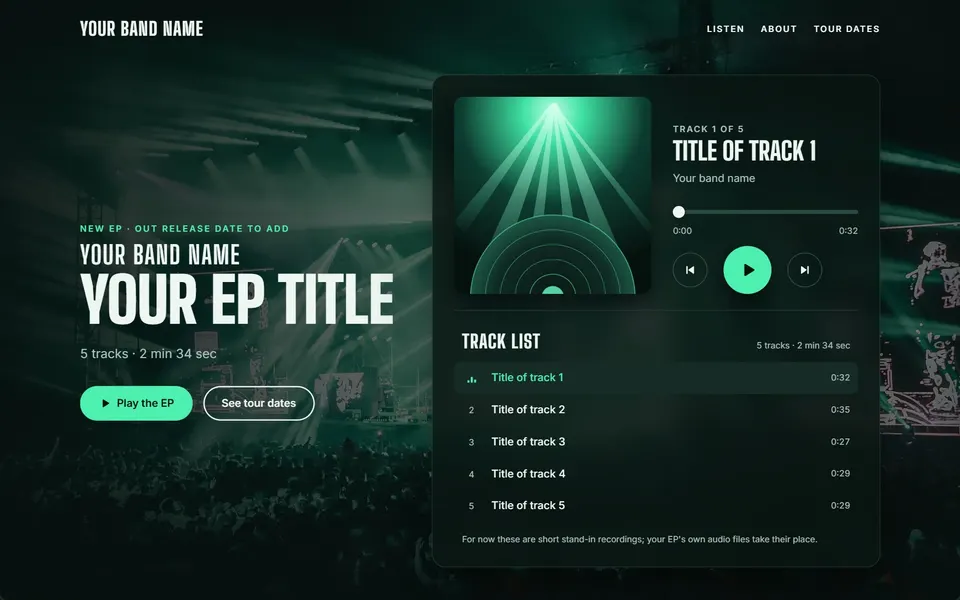
“A music player page for a band's new EP with track list, play and pause, a progress bar and tour dates”
Sign-ins, approvals, member, token, webhook, autonomy and settings changes join Xovris's own actions in one searchable record, under 'What people did'.
Everything you run, in one ring round Xovris – press any part to see what it does there.
Press any part of the ring to open it
Websites and services
The sites you run, from a blog to a family shop. Xovris checks them all the time and fixes what breaks on its own.Xovris reads the whole of what you run on the web – the site, its code and the services behind it – from several places, all the time. When something breaks it reads what is connected to it, follows the fault to its cause and puts that right on its own, with an undo.Endpoints, APIs, journeys and scheduled jobs, checked from outside on a schedule. Xovris finds the cause and ships the one change your policy allows, with its undo.
xovris.ai, answered from every place it is checked
Website check
The free website check shows what the outside world sees
You can now type an address on xovris.ai and Xovris checks it from its own probes outside your network – the certificate, the page and DNS – beside what your browser can see, and says plainly what it could not confirm.
Your website’s quality checked in a real browser, then every day
Ask once and Xovris checks your site the way a visitor’s browser sees it – accessibility, whether tracking waits for consent, broken links, what search engines see and speed – keeps the report, alerts you once for each problem, and checks again every day.
Free certificate and domain expiry alerts for anyone, with no account
Give Xovris an email address and the sites you care about, confirm from the email, and Xovris checks each one every day: the certificate it serves and the domain’s registration, read from the registry itself.
Each app added to Xovris shows where it is called, what reached it and its last failure, with a signed test you can send from its card and a clear way to remove it.
When something goes wrong you get one clear message: what broke, what Xovris did about it and that it works again.Every alert becomes one incident with its evidence. Xovris works it in the open, fixes it on its own where your policy allows and calls a person only when one is needed.Alerts from your paging, chat and error tools become one incident. Xovris investigates, acts within policy, hands off to PagerDuty or Opsgenie when a person is needed and keeps the record.
→
Put right, and working again
Paging hand-off
Every incident handed to PagerDuty, Jira Service Management, Opsgenie or incident.io – and kept in step
Connect the tool your team already pages from and every incident Xovris raises is sent there, a person’s acknowledgement in Xovris and the verified resolve follow in order, each sent once and keyed to the incident, so the tool never shows a second copy.
Give Xovris an Opsgenie API key (US or EU) or its export, on the business plans, and it brings across your people, teams, schedules with their overrides, escalations, routing rules, alert sources, heartbeats, maintenance windows and each person’s text and call steps – first as a plan you can read, then for real, every piece read back and undoable.
Teams, Discord, PagerDuty and more set up in one step, the test seen arriving
On Alerts every channel sets up from its own row: give it the address or key, press once, and Xovris adds it to the route every alert takes and sends a test.
Connect your Sentry organisation with a token and its unresolved issues appear on Issues beside Xovris’s own – events, users, project and a link straight back into Sentry.
The router, the Wi-Fi, phones, laptops, the printer and the smart speaker. Xovris knows each one, notices a new one and tells you in plain words what it needs.Anything with a network, whatever it is – a laptop, a printer or a factory controller, for example. Xovris names each by make and model, notices a new one joining and checks it for known holes.Any device on the network – a switch, a firewall, an access point, a server or the whole fleet. Xovris identifies make, model and version and upgrades each one itself: through its own API where it has one (Fortinet, Palo Alto Networks and MikroTik among them) and through its own console where it has not, reading the version back before it says done.
Every device page says what Xovris reads from it
The devices page shows every kind of device as a tile lit by a real device of that kind, and each device's page says what Xovris reads from it.
Your email address and your own domain. Xovris keeps the records that stop spoofing in place and warns you long before anything runs out.Your domain read whole, all the time – its registration, DNS, mail protection and certificates, for example. Xovris warns you sixty days before it runs out, and when mail stops arriving it follows the fault to the record, setting or provider behind it and puts that right.Zones, records, DNSSEC, SPF, DMARC, CAA and certificate transparency. Xovris puts a broken record back on its own within policy, and every nameserver agrees again.
xovris.ai’s addresses, checked on the public block lists
Domain watch
Domains, DNS and registration watched – and every change explained
Xovris reads each domain’s registration from its registry – expiry, renewal, transfer lock and registrar – and its DNS, and tells you in plain words when anything changes or is about to lapse.
Domain renewals warned about 60 days ahead, and only while auto-renew is really off
Xovris reads whether a domain renews itself from the registrar itself, through your own connection, and warns you 60, 30, 14, 7 and 1 days before it lapses – earlier than the registry’s own reminders.
Know when an old DNS record lets a stranger take over part of your domain
Xovris now looks at every address record in your domain every five minutes for ones that still point at a service you no longer use – an old Azure app, an S3 bucket, a Heroku or GitHub Pages site, a domain nobody renewed, a cloud address you gave back.
Xovris watches the public Certificate Transparency logs and tells you when a certificate is issued for one of your domains – including one you did not ask for.
Breached passwords, scam messages, lookalike sites and devices with known holes. Xovris watches for them and tells you the one thing to do.Everything that could let someone in – a sign-in from a new place, a hole in a device or in code, a leaked key or spoofed email, for example. Xovris watches for all of it all the time, follows each to its cause and acts on its own where your policy allows.Password-only sign-ins, vulnerable software and firmware, attack paths in a change, leaked keys and lookalike domains – each watched and answered with the fix.
A+
xovris.ai’s own security headers, graded
The AI review runs on every paid plan
Every paid plan has the adaptive AI review of changes; on the free plan Xovris's own checks keep watch, and the plan says so.
Sign-ins, approvals, member, token, webhook, autonomy and settings changes join Xovris's own actions in one searchable record, under 'What people did'.
The services you already use stay as they are. Xovris connects to them and keeps watch.Wherever you already work – your host, your chat or your paging tool, for example. Xovris connects to it and reads what is there by itself, from Vercel and Cloudflare to Sentry, Slack and PagerDuty.Hosting, source control, DNS, telemetry and the tools you keep. Xovris connects with scoped keys and reads them beside every incident.
Vercel
Connect Vercel: every environment gets its own key, checked
Connecting Vercel writes a separate key into production, preview and development, reads each one back, and removes them all when you disconnect.
If you build an app, one command connects it and Xovris watches every release.One command connects your app. Xovris finds the framework, signs you in from the browser, watches every release from then on and follows each fault to the release and the change that caused it.One command sets it up: the framework found, the changes shown before they are written, and every release watched.
Set up$ npx xovris init
Setting up a real app, in one line
One-command setup
One command sets Xovris up on Nuxt, SvelteKit, React Router and Astro
The set-up command now starts Xovris in both halves of a Nuxt, SvelteKit or React Router app – the browser and the server – at the places each framework names for it, and reports Astro’s server errors through middleware.
Start with nothing but your website address or install the app on your platform – each connection is checked before it counts, and a connection that stops answering says so instead of staying green.
Ask Xovris in your own words. It answers with what it checked and what it fixed.Xovris finds what broke in your code on its own, proves the fix on a copy and opens the pull request – you read the report and merge.A REST API with its OpenAPI description, signed webhooks and client libraries. Every call is scoped to a workspace and audited.
APIhttps://api.xovris.ai/v1/
The address your AI tool adds
Open pages Xovris built and use them
The home page and the build page open two pages Xovris's own builder made, byte for byte, each beside the request that made it.
You decide what Xovris may do on its own, and it does it. Anything outside that, it checks with you before it changes.Xovris holds only the access a fix needs and puts things right on its own, inside the limits you set in your own policy.Scoped grants, a standing policy per action and zone, a record nobody can edit and an undo on every change.
On its own: anything you hand itSpending money: you decide
Your policy, set by you
Cyber Essentials
Your Cyber Essentials readiness, read from your real computers and accounts – with the two automatic fails raised the moment they appear
Xovris reads what it already watches – your computers through the Xovris app, your people’s accounts in Google Workspace, Microsoft 365, Okta or GitHub, and the software updates still waiting – and shows each Cyber Essentials requirement as met, not met or not read yet, never assumed.
Simple plans with the price in full and the tax shown.Xovris watches your Stripe sales, failed payments and disputes. Its own prices are published in full, in your currency, with the tax beside each.Prices in pounds, euros and dollars with the tax stated, and your Stripe sales, failed payments and disputes watched.
Stripe watch
Your Stripe account watched: sales, failed payments and disputes, each with its alert
Connect Stripe with a restricted key and Xovris reads its event log every five minutes – sales, failed payments with Stripe’s own reason, disputes, refunds, payouts, subscriptions, invoices it could not collect and payments held for review – and raises one alert for each dispute, failed payout and cluster of failed payments, beside the rest of your alerts.
A common way of writing data as named values, readable by people and programs alike.
Data an app reports about itself (telemetry)
The errors, timings and records an app sends out so problems can be spotted and explained.
A message sent to your own system (webhook, webhooks)
An automatic message one service sends to an address you choose the moment something happens.
Program-to-program connection (API, APIs)
A way for one program to ask another for information or to do something, without a person clicking through a website.
Domain Name System (DNS)
The internet’s address book: it turns a name you type into the number of the computer that answers for it.
Signed address-book answers (DNSSEC)
A signature on a domain’s address-book answers, so a computer can tell they were not forged on the way.
Allowed senders record (SPF)
An address-book record listing the servers allowed to send email as the domain.
Email rules record (DMARC)
An address-book record telling mailboxes what to do with email that fails the domain’s sender checks – deliver it, mark it as spam or refuse it – and where to send reports.
Certificate permission record (CAA)
An address-book record naming the companies allowed to issue a security certificate for the domain.